Find B2B leads backed by real evidence
Sherlock researches company websites, keeps only leads with real evidence they might need your product, and writes a personalized opening line for each one.

Most lead lists are just a pile of company names with no way to tell who's actually worth contacting. Sherlock, an AI teammate in Mices, finds B2B customers by researching their websites, and only keeps companies with real evidence that they might need your product. Every qualified lead comes with a personalized opening line.
Why evidence beats firmographic filters
Filtering by industry or company size tells you a company could theoretically be a customer, not that they actually need you. Sherlock reads each company's website for a specific signal, like a job posting, a stated problem or a feature on their site, before adding them to your list. That's what makes the opening line for each lead feel researched instead of generic.
What you need
- Your product, target customers and offer
- Google Drive and Gmail connected, for saved leads and draft emails
- 1
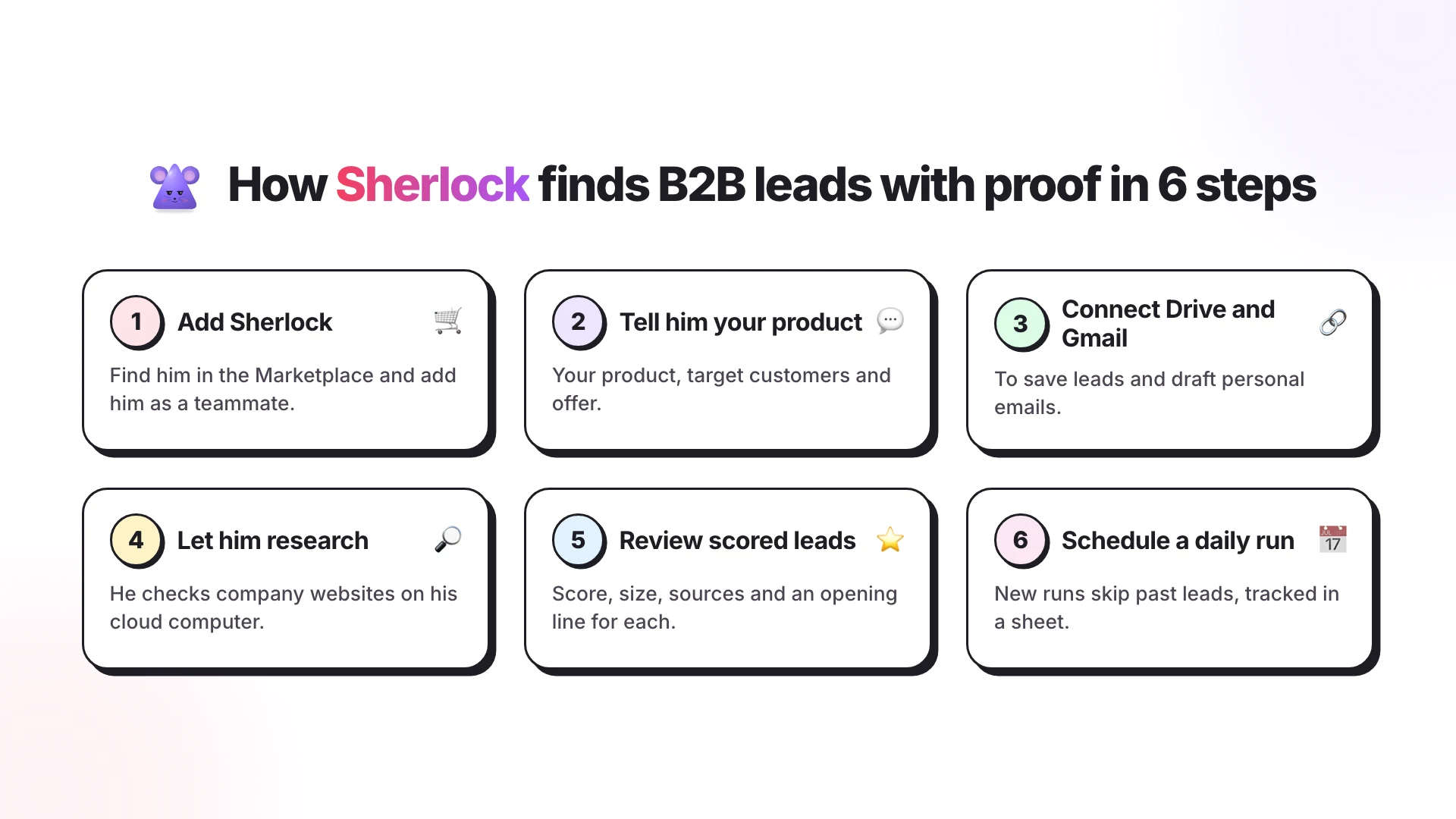
Add Sherlock to your workspace
Find Sherlock in the Mices Marketplace and add him as a teammate.
- 2
Tell Sherlock about your product
Share your product, your target customers and your offer.
- 3
Connect Google Drive and Gmail
Sherlock uses these to save leads and draft personalized emails.
- 4
Let Sherlock research
He checks company websites on his own cloud computer, so the work keeps going even when your laptop is closed.
- 5
Review your scored leads
Each lead comes with a score, website, company size, geography and source pages, plus a personalized opening line.
- 6
Schedule a daily run
New runs remember past leads and only add new ones, tracked in an outreach sheet.
Find me B2B leads for my product
Make it run on its own
Schedule Sherlock to run daily. He can also draft personalized emails in Gmail on the cloud computer, and the outreach tracker keeps messages and replies in one place.
Tips for better results
- Be specific about the evidence that matters for your product, like a job posting for a role your tool supports.
- Check the source page linked with each lead before you reach out, so you can reference it directly.
- Pair this with finding leads from Product Hunt if you want more than one lead source running.
Questions people ask
What counts as "evidence" for a lead?
Something real on the company's website that suggests they might need your product, not just a guess based on industry or size.
Does Sherlock send the emails?
He can draft personalized emails in Gmail, but sending is up to you unless you set up automation on the cloud computer.
Will Sherlock repeat leads I already have?
No, daily runs remember past leads and only add new ones.
Can I filter by geography?
Yes, leads are grouped by geography along with phone numbers and source pages.
How is this different from a generic B2B lead database?
A database sells you a list filtered by industry and size. Sherlock reads each company's actual website for evidence that they need your specific product, which a static database can't do.