Find LinkedIn leads for your product with AI
Harvey finds potential customers on LinkedIn, explains why each one could be a good fit, and saves everything, including outreach messages, to a Google Sheet.

Prospecting on LinkedIn by hand eats your day. Harvey, an AI teammate in Mices, finds potential customers on LinkedIn, explains why each one could be a good fit for your product, and saves everything to a Google Sheet, along with outreach messages you can use.
Why a product brief comes before the search
Before researching a single profile, Harvey writes a short product brief and works out which customer segments show real buying signals. That brief is what keeps the leads relevant instead of a broad list of people with a matching job title.
What you need
- Your product, offer, website and the kind of leads you want
- Google Sheets connected, where leads and messages are saved
- 1
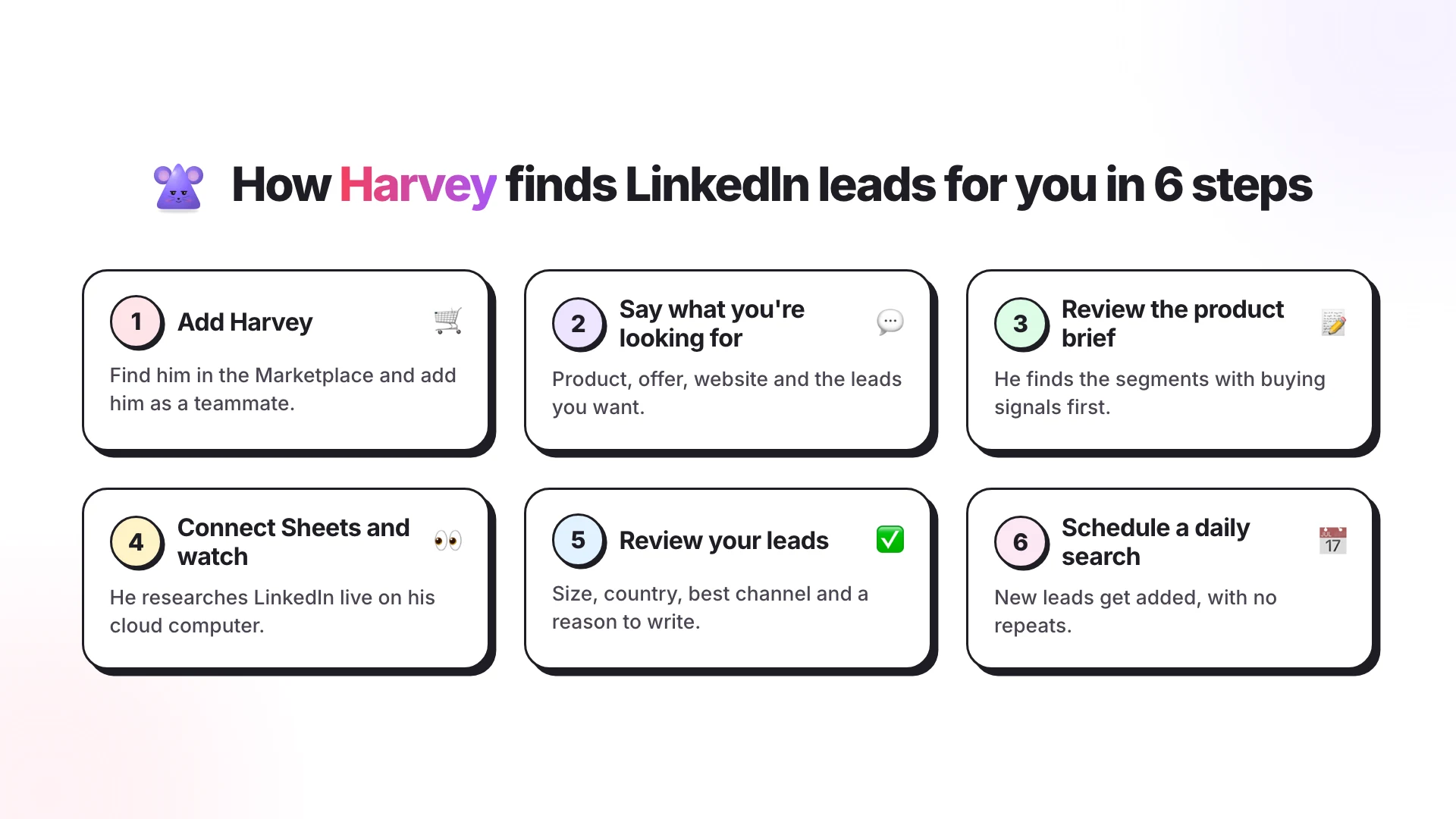
Add Harvey to your workspace
Find Harvey in the Mices Marketplace and add him as a teammate.
- 2
Tell Harvey what you're looking for
Share your product, offer, website and the kind of leads you want.
- 3
Review the product brief
Harvey writes a short product brief and finds the customer segments with buying signals before researching.
- 4
Connect Google Sheets and watch Harvey work
He researches LinkedIn profiles live on his own cloud computer.
- 5
Review your leads
Each lead comes with website, industry, company size, country, the best channel to contact them, and a specific reason they might need your product.
- 6
Schedule a daily lead search
New leads get added without repeating old ones.
Find me LinkedIn leads for my product
Make it run on its own
Schedule a daily lead search so new, unique leads keep showing up, each with a ready outreach message.
Tips for better results
- Describe the kind of lead you want in terms of role and company stage, not just industry.
- Use the suggested outreach message as a starting point, then personalize the first line.
- Combine this with finding B2B leads backed by evidence for a second source of qualified leads.
Questions people ask
Does Harvey send connection requests or messages?
No, Harvey researches and prepares outreach messages. Sending them is up to you.
What's in the product brief?
A short summary of your product plus the customer segments and buying signals Harvey will look for.
Will Harvey find the same leads every day?
No, scheduled runs add new leads without repeating ones already found.
Does this need a paid LinkedIn account?
Harvey researches public LinkedIn information on his own cloud computer.
How is this different from LinkedIn Sales Navigator?
Sales Navigator helps you filter and search profiles yourself. Harvey does that research, explains the specific reason each lead fits, and drafts an outreach message, which still takes manual work in Sales Navigator alone.